
LEVEL 2 MARKET DATA
Level 2 stock quotes and market depth
Level 2 shows more than the last price: the bids and asks waiting at each price level, how wide the spread is, and how much size sits on each side. Nasdaq Life puts the order book next to the chart and the executed trades so you can read all three together.
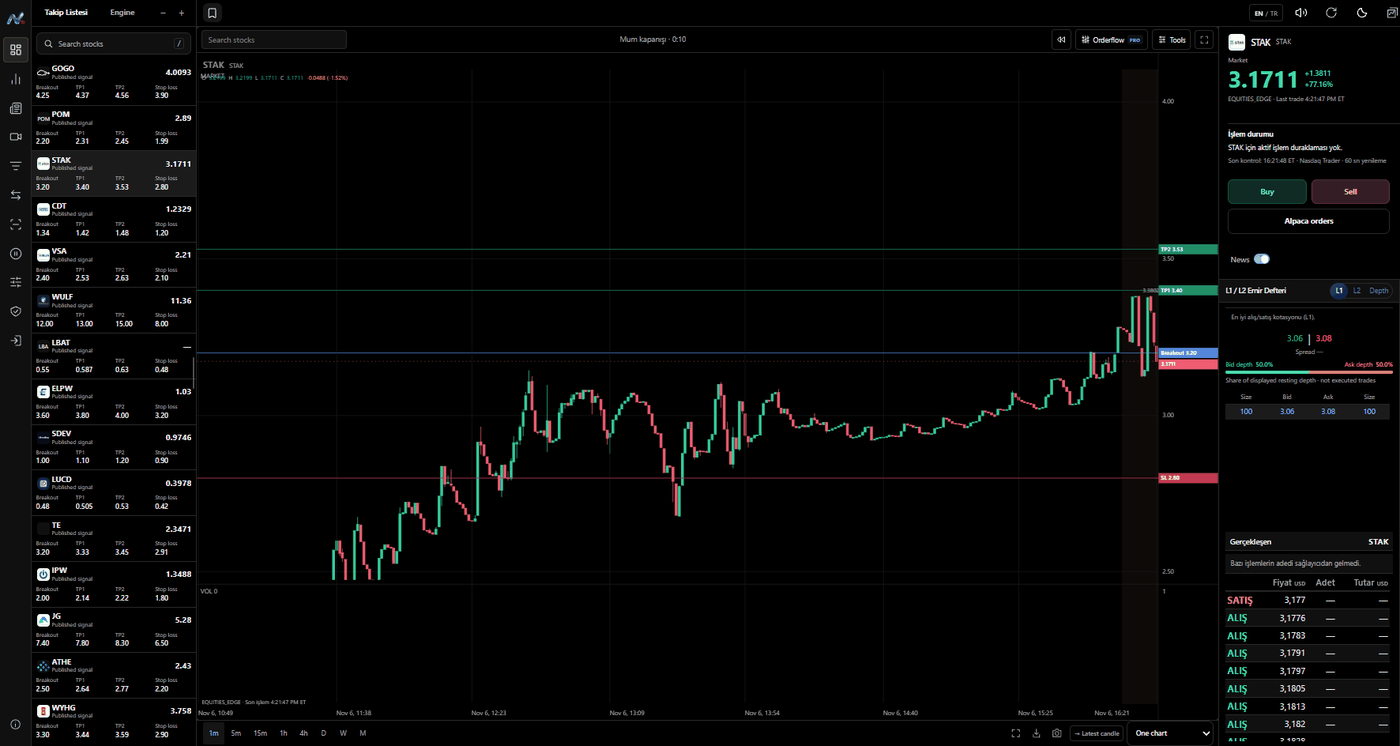
Level 1 vs Level 2
Level 1 is the best bid and the best ask (the inside market) with their sizes. Level 2 lists several price levels on each side of the book. Level 1 tells you the current price; Level 2 shows where liquidity is resting above and below it.
In the terminal you switch between L1, L2 and Depth. Depth draws the cumulative bid and ask size by price, so a thick wall of offers or a thin bid side is visible at a glance.
What the order book panel shows
- Best bid and ask, spread in dollars and percent
- Size at each price level on both sides
- Bid depth vs ask depth share of the displayed book
- Cumulative depth chart
- The executed trades (time & sales) for the same stock, right below the book
Honest about coverage
Multi-level depth is shown when the connected data feed provides it for your account. When only the best bid/ask is available, the panel says it is showing L1 and does not invent extra levels from a single quote. Resting order size and executed trade size are different things, and the panel keeps them apart.
How traders use it
Common uses are checking whether a breakout level has real size behind it, seeing if the spread is too wide to trade a small cap, and watching whether large offers above the price get lifted or pulled. Depth is a snapshot of intentions; it changes constantly and orders can be cancelled before they trade.
FAQ
What is Level 2 data?
Level 2 is the list of bids and asks at several price levels for a stock, with the size at each level, rather than only the best bid and ask.
Is the Level 2 data real time?
The order book updates from the connected provider while the market is open. If a feed is delayed or only provides the best bid/ask, the panel labels it.
Can I try it for free?
Yes. The live demo on the home page opens the real panel with sample data, no sign-in needed. Membership with real data is opened with administrator approval.